Every file on your phone, finally findable

Myind is a private file manager with search that understands what's inside your files, photos, PDFs and saved reels. Nothing leaves your phone unless you choose.

One email on launch day. Nothing else.

  • Free, no ads
  • No account
  • Data not collected
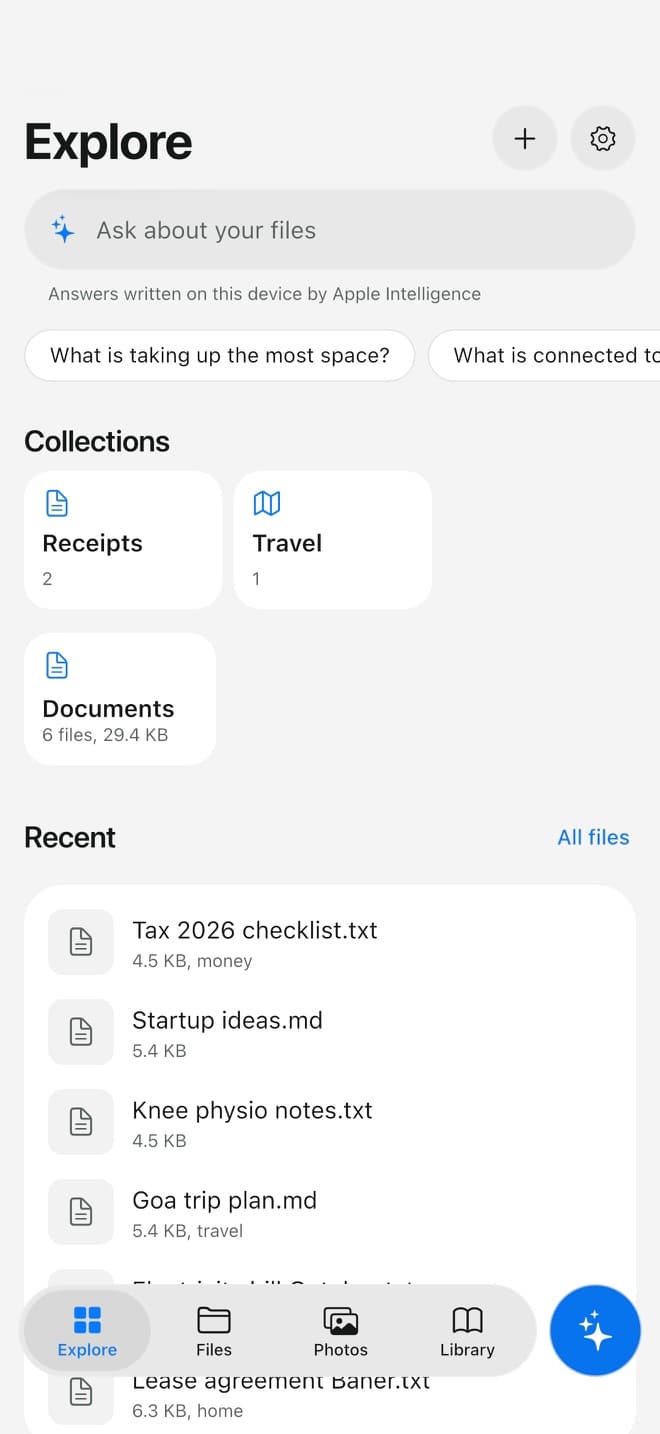
Explore screen: Ask about your files

Ask about your files

Type a question like “what's taking up the most space?”. Your collections, such as Receipts and Travel, and your recent files are one tap away.

Who it helps

Pick what sounds like you, or read every problem below.

Nine everyday phone problems, and how Myind solves each one

Everyone

“I know it's on my phone somewhere.”

A PDF in Downloads, a screenshot from last month, a file someone sent on WhatsApp. File names like IMG_4821 don't help, and the phone's search doesn't look inside.

Search by what's inside, or just ask

  • Searches the text inside PDFs, documents, notes and screenshots
  • Finds photos by what's in them, who's in them and where they were taken
  • Forgives typos, and understands questions like “what's taking up the most space?”
  • Answers are made on your phone when it has Apple Intelligence
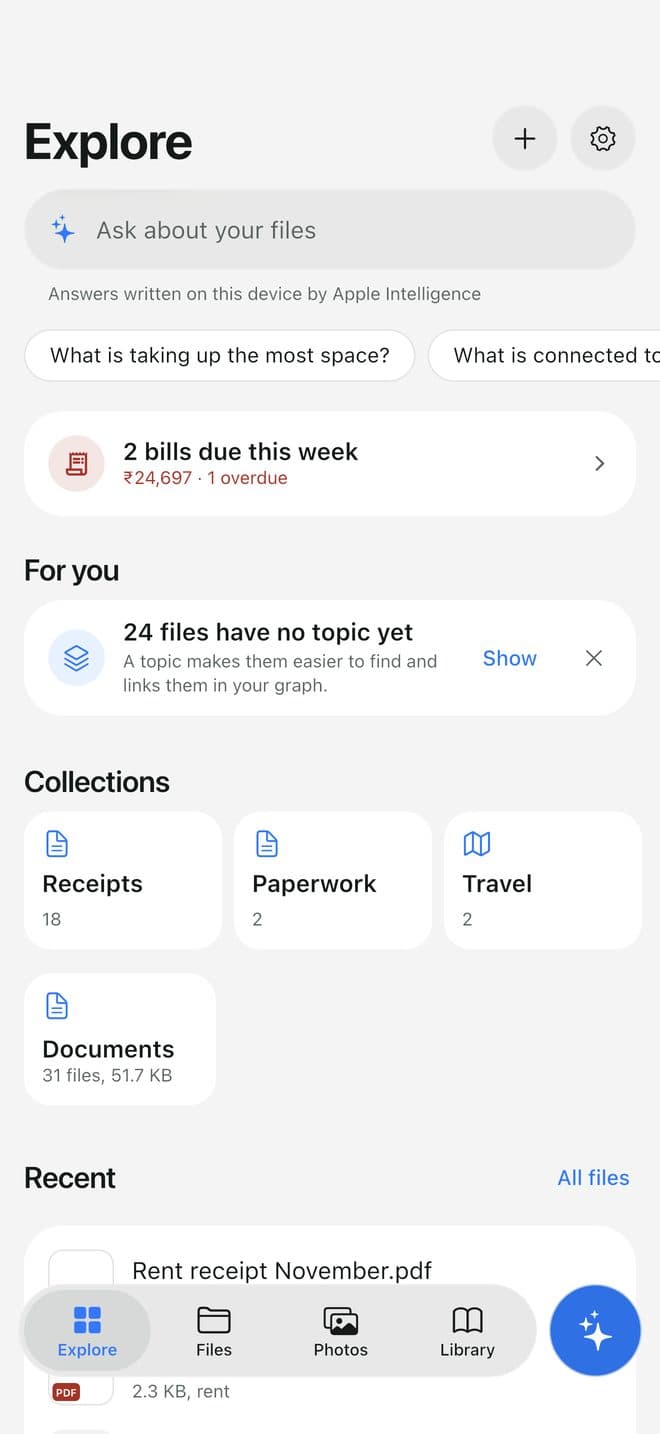
  1. Explore: ask about your files, or open a collection Myind made
    1Explore: ask about your files, or open a collection Myind made

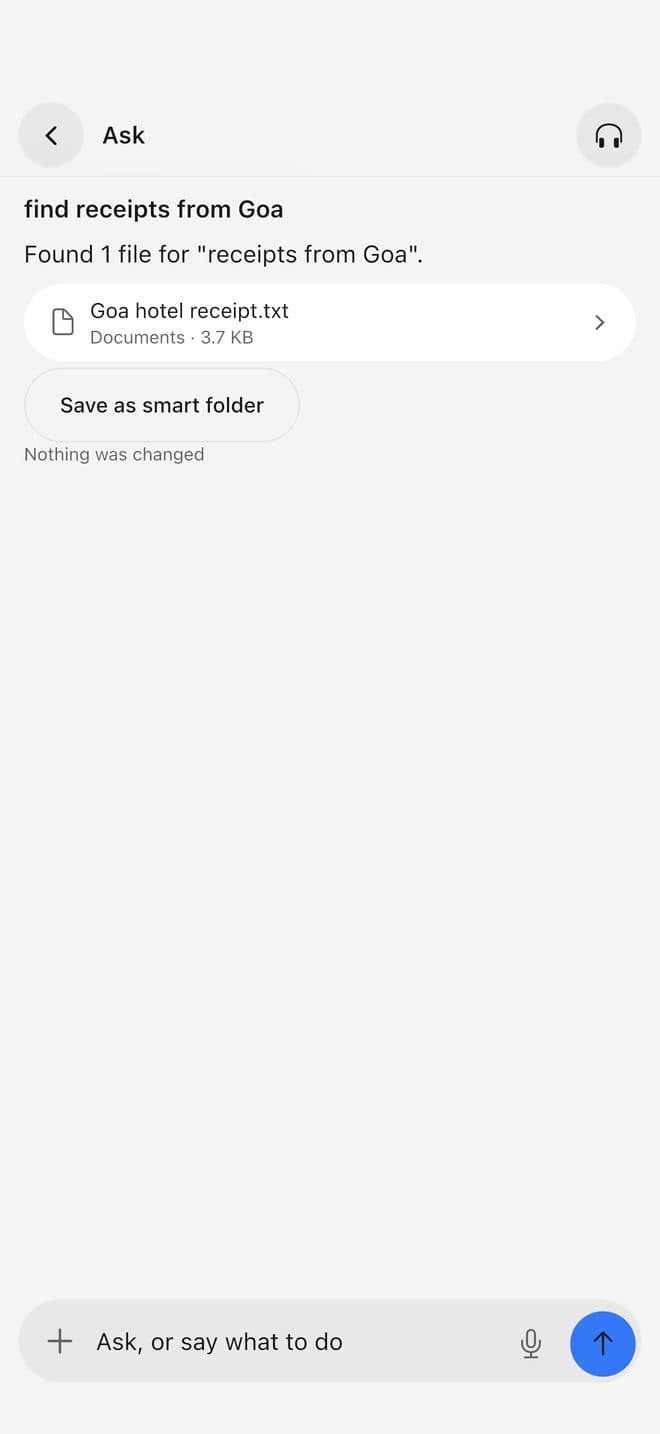
  2. Ask “find receipts from Goa” and get the file, with one tap to save it as a smart folder
    2Ask “find receipts from Goa” and get the file, with one tap to save it as a smart folder

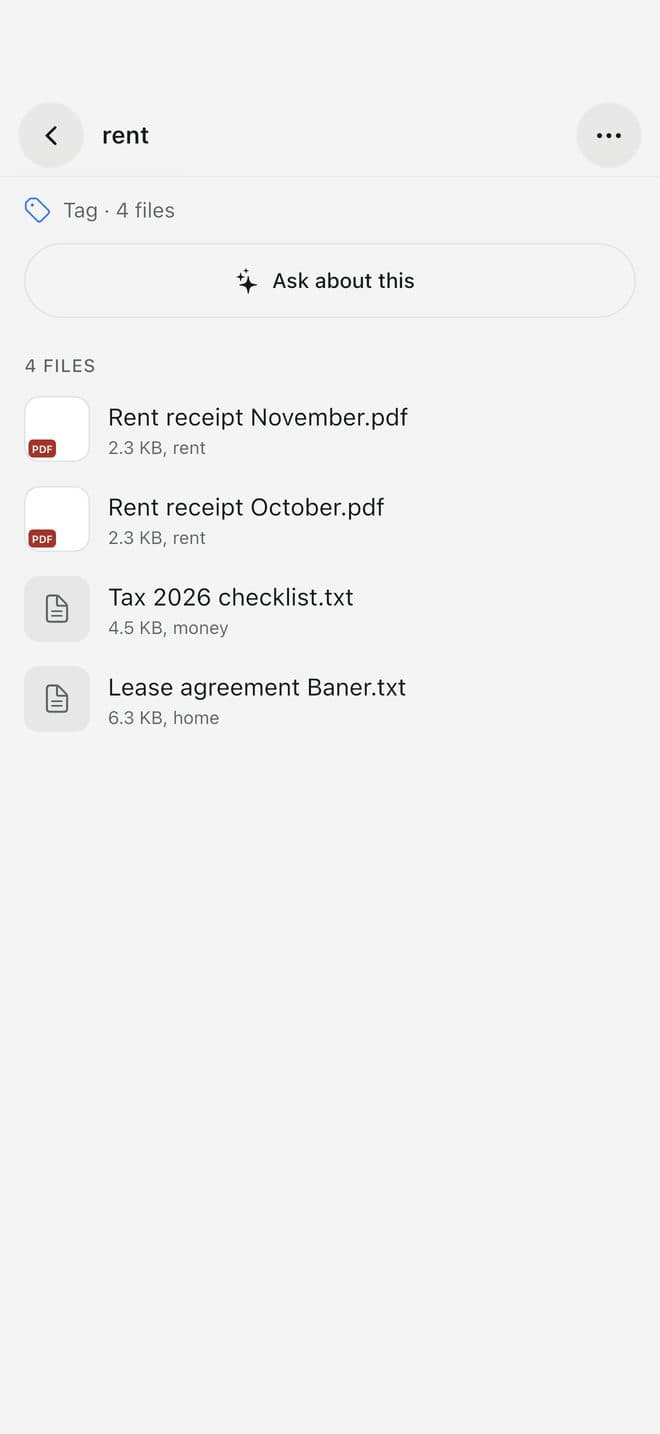
  3. Tap a #tag to see every file and link about it
    3Tap a #tag to see every file and link about it

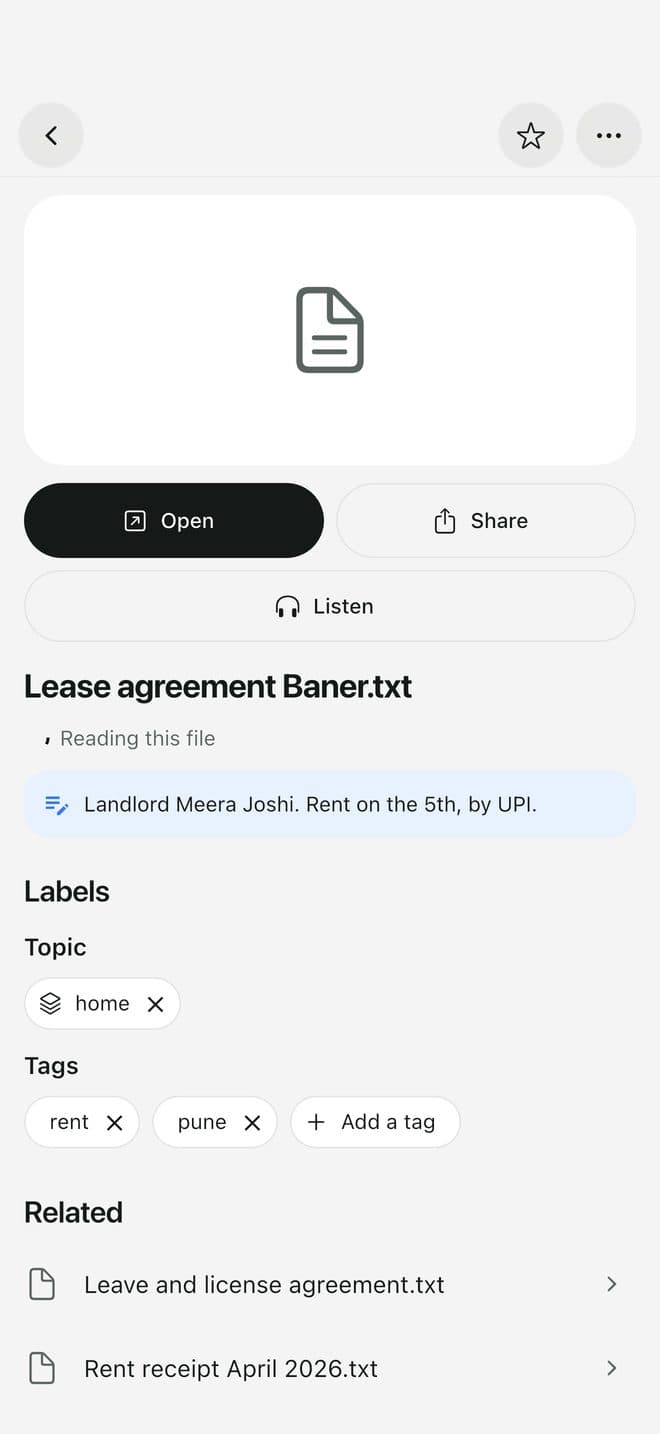
  4. Open the file: read it, listen to it, and see your note on it
    4Open the file: read it, listen to it, and see your note on it
Anyone who saves reels and videos

“I saved 300 reels and never opened one again.”

Recipes, travel plans, workouts, money tips. Saving feels useful, but the saved list is an endless grid with no titles, so nothing gets found or used.

Every saved link gets a title, a summary and #tags

  • Share a reel, a YouTube video or a page to Myind from any app
  • It gets a clear title, a two-line summary and #tags you can tap
  • Add your own note, like “book before December”, shown in blue
  • Read it, listen to it, or tap Ask about this instead of re-watching
  • Filter by Reels, YouTube, Pages or topic, and search all of it
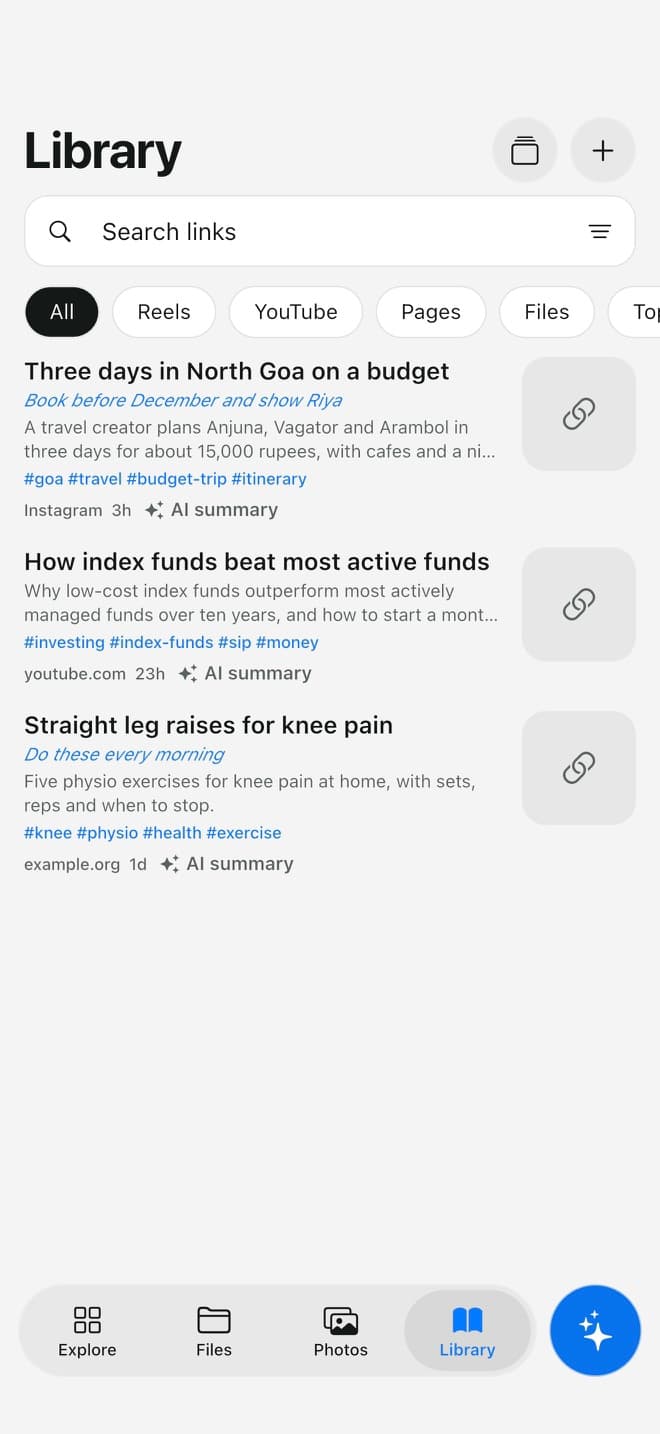
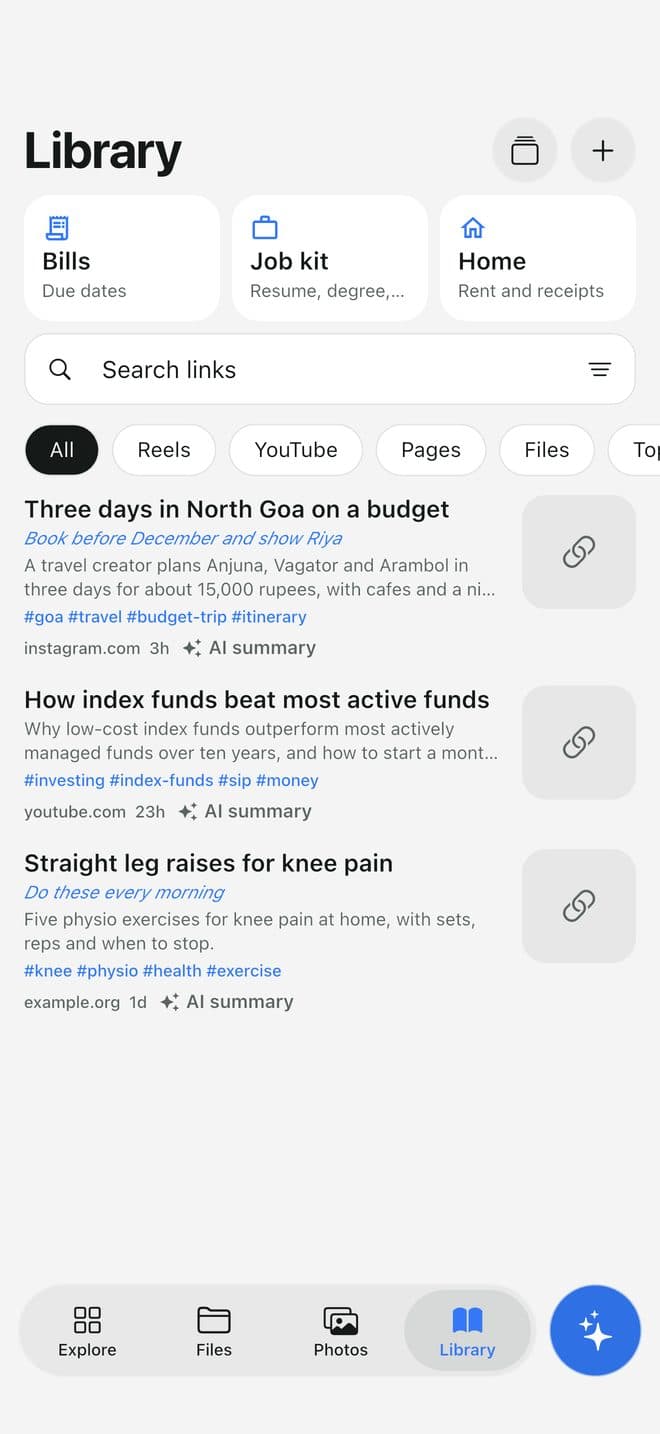
  1. Library: every saved reel, video and page, with a summary, #tags and your note

    1Library: every saved reel, video and page, with a summary, #tags and your note

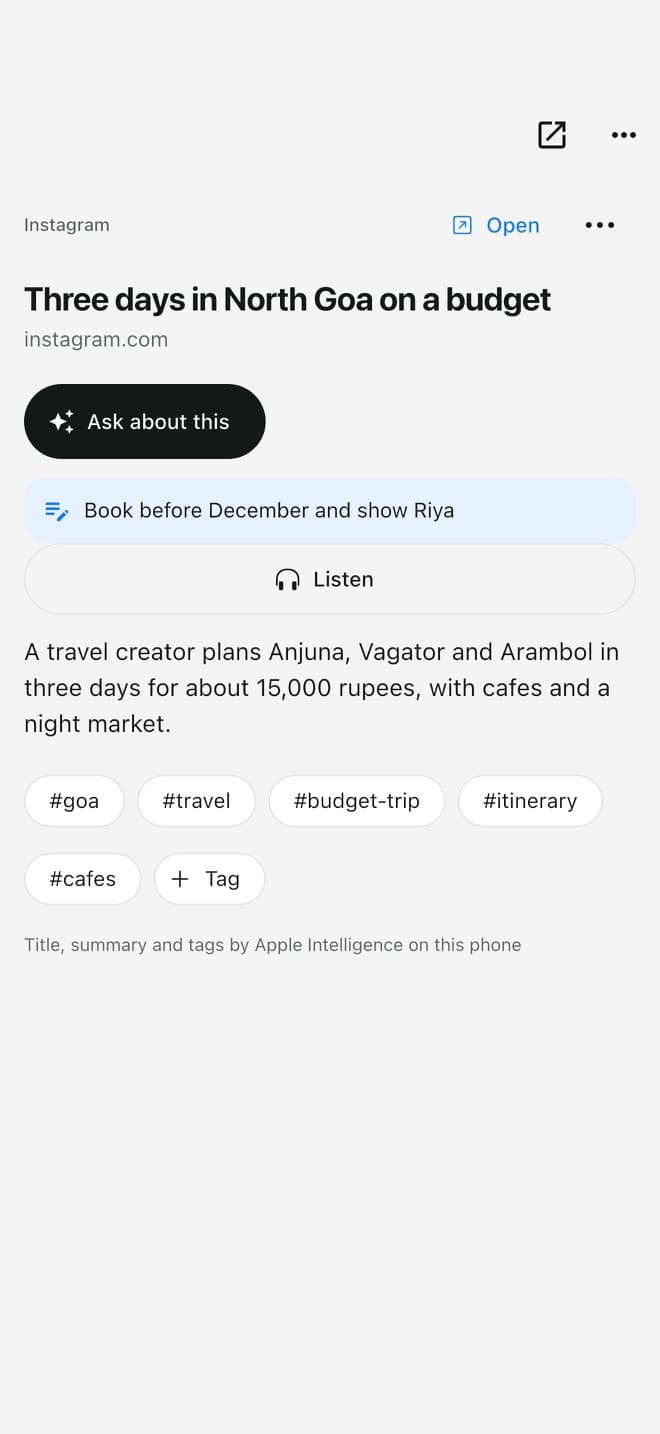
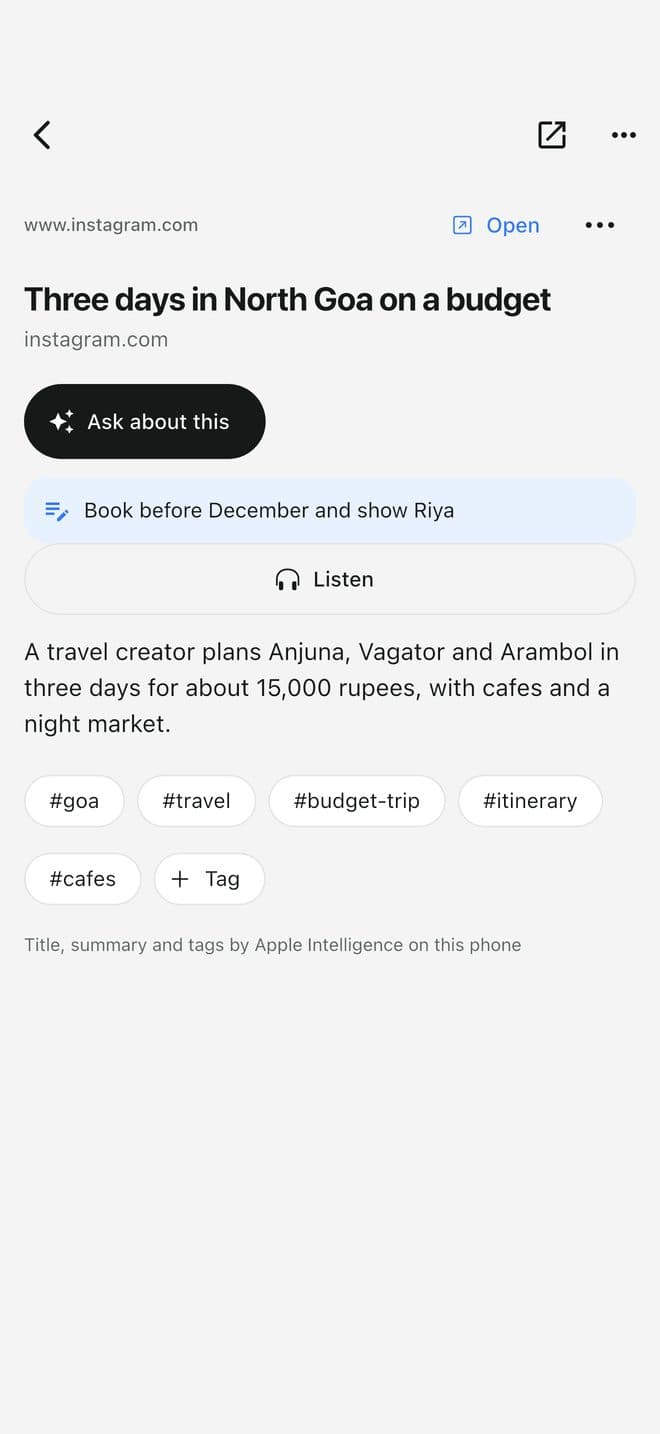
  2. Open one: what it says, your note, Listen, and Ask about this

    2Open one: what it says, your note, Listen, and Ask about this

Anyone whose phone says Storage Full

“Storage full. Again.”

You delete a few apps, it fills up again in a week. Most of the space is photos, videos and old downloads, and you're not sure what's safe to remove.

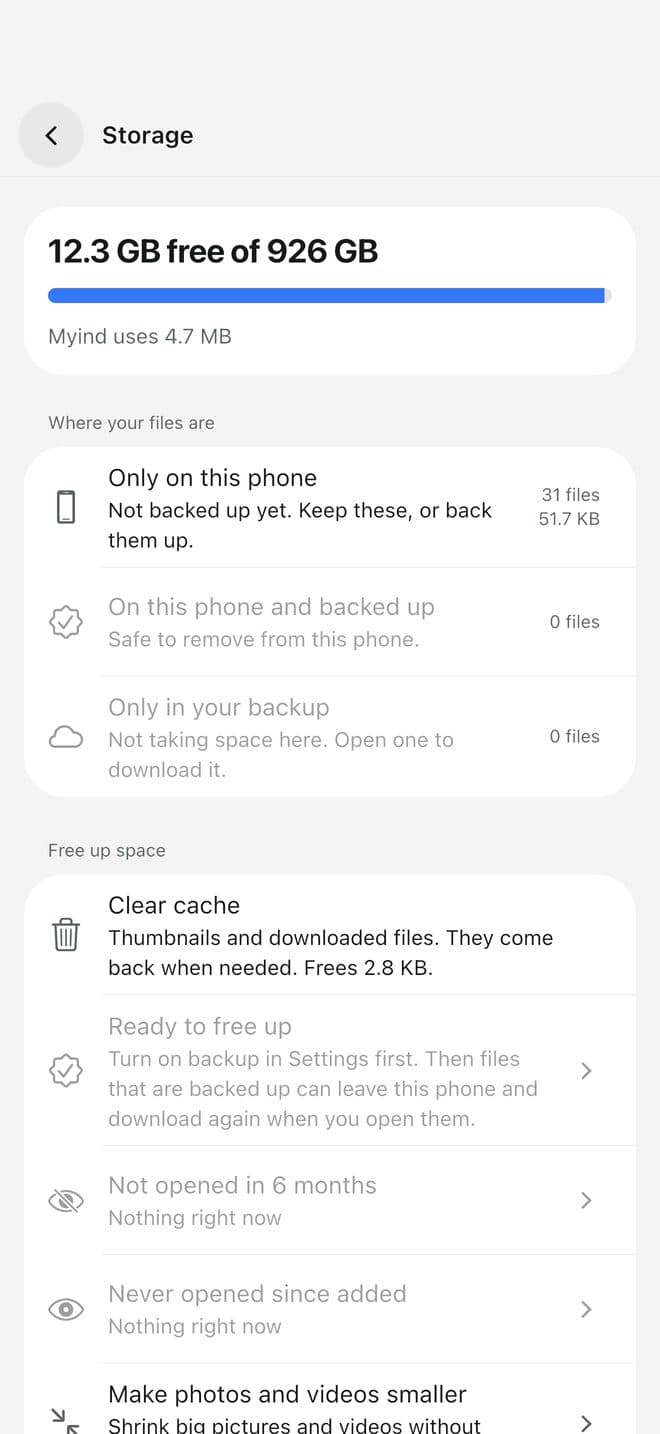
See where the space went, then clear it safely

  • One screen shows how full the phone is and what's using it
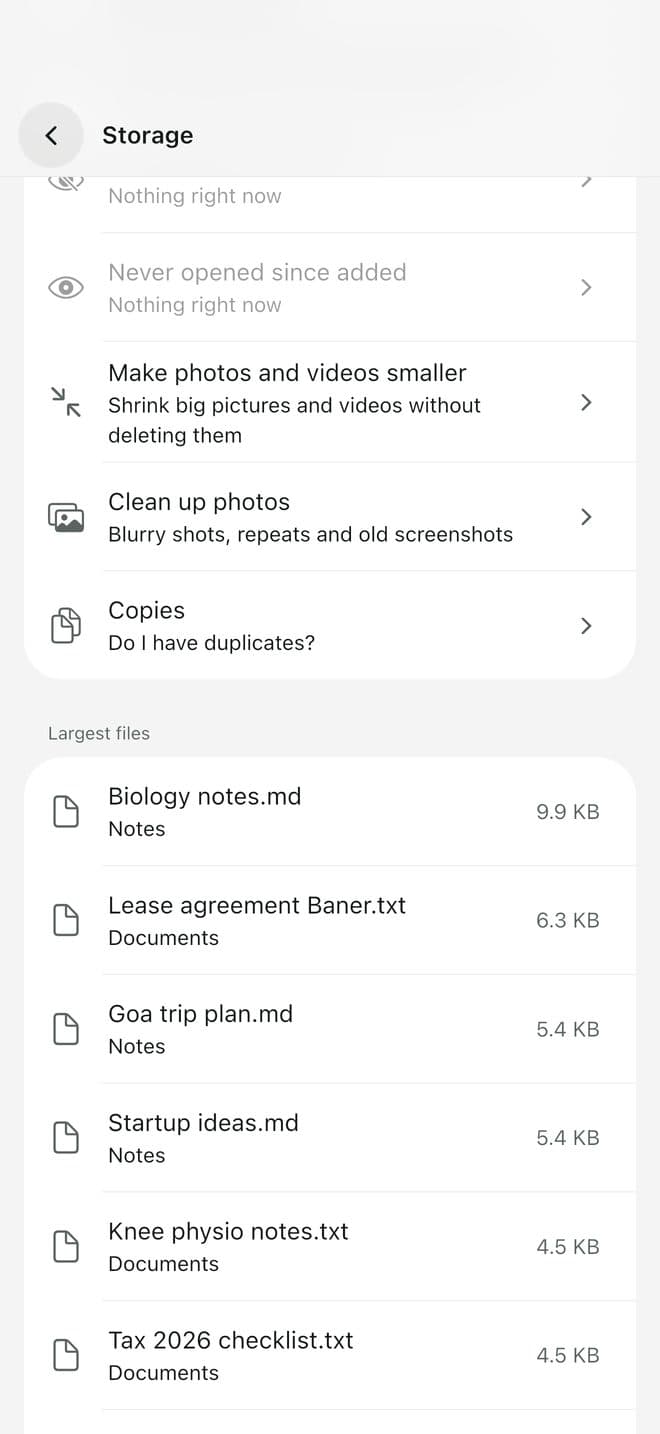
  • Finds blurry shots, repeated photos, old screenshots and duplicates
  • Makes big videos and photos smaller without deleting them
  • Clears Myind's own cache with one tap
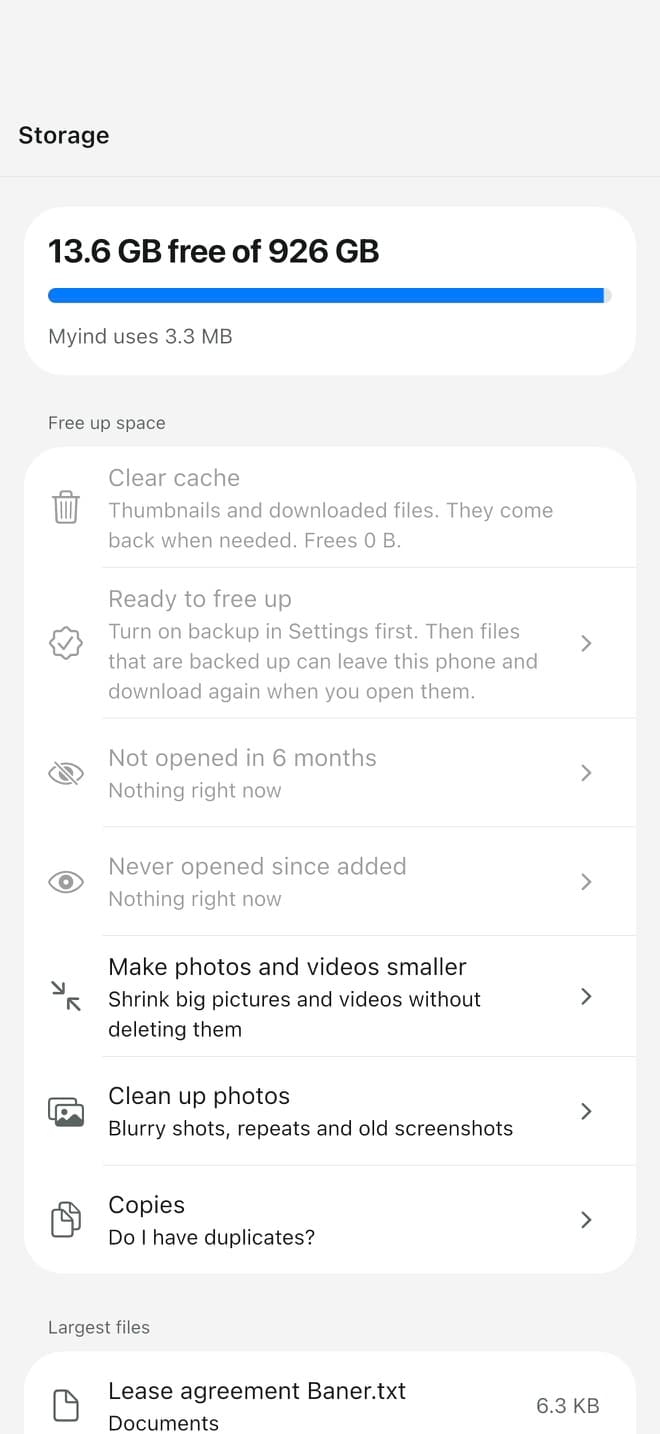
  1. Storage: how full the phone is and what's using it

    1Storage: how full the phone is and what's using it

  2. Clean-up choices: old files, big videos to shrink, blurry shots, copies

    2Clean-up choices: old files, big videos to shrink, blurry shots, copies

Anyone afraid to delete

“Did this back up? If I delete it, is it gone?”

Cloud apps say “syncing”, but you can't tell which photos actually made it. So nothing gets deleted and the phone stays full.

Every file shows where it is

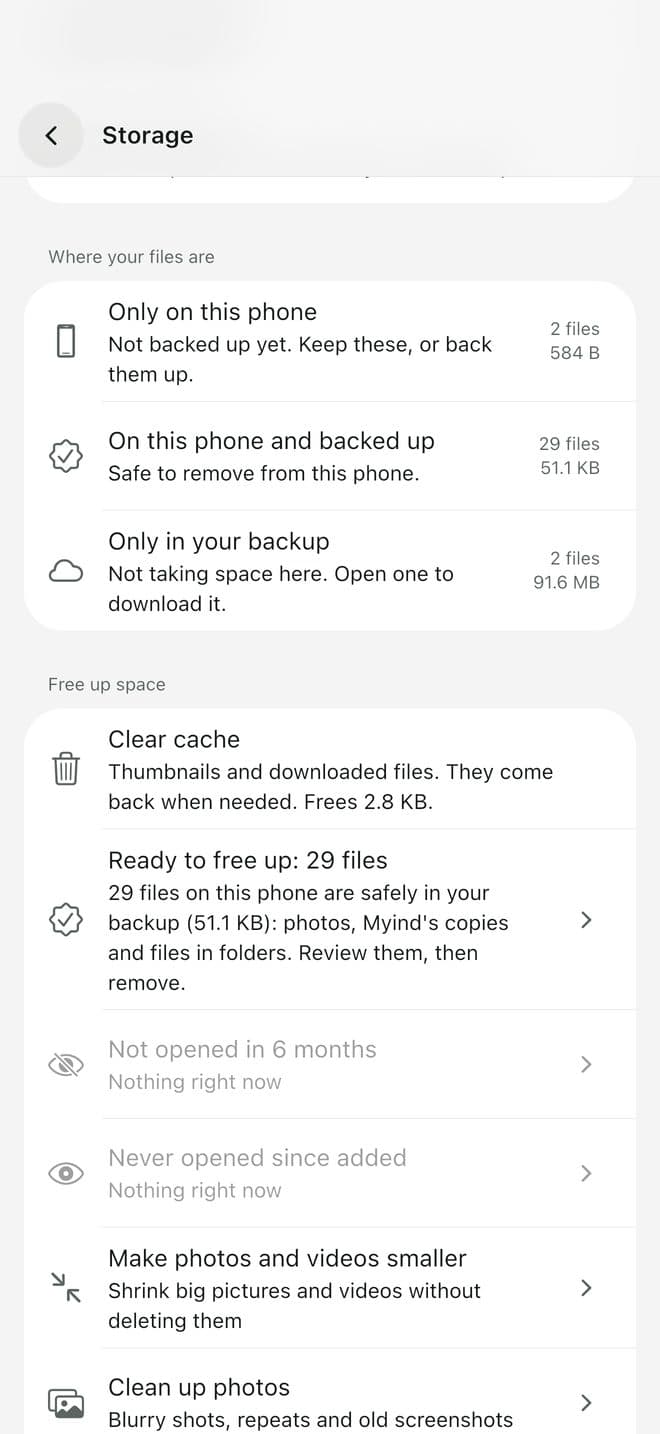
  • A badge on each file: only on this phone, backed up, or only in the backup
  • Ready to free up lists only files whose backup is complete
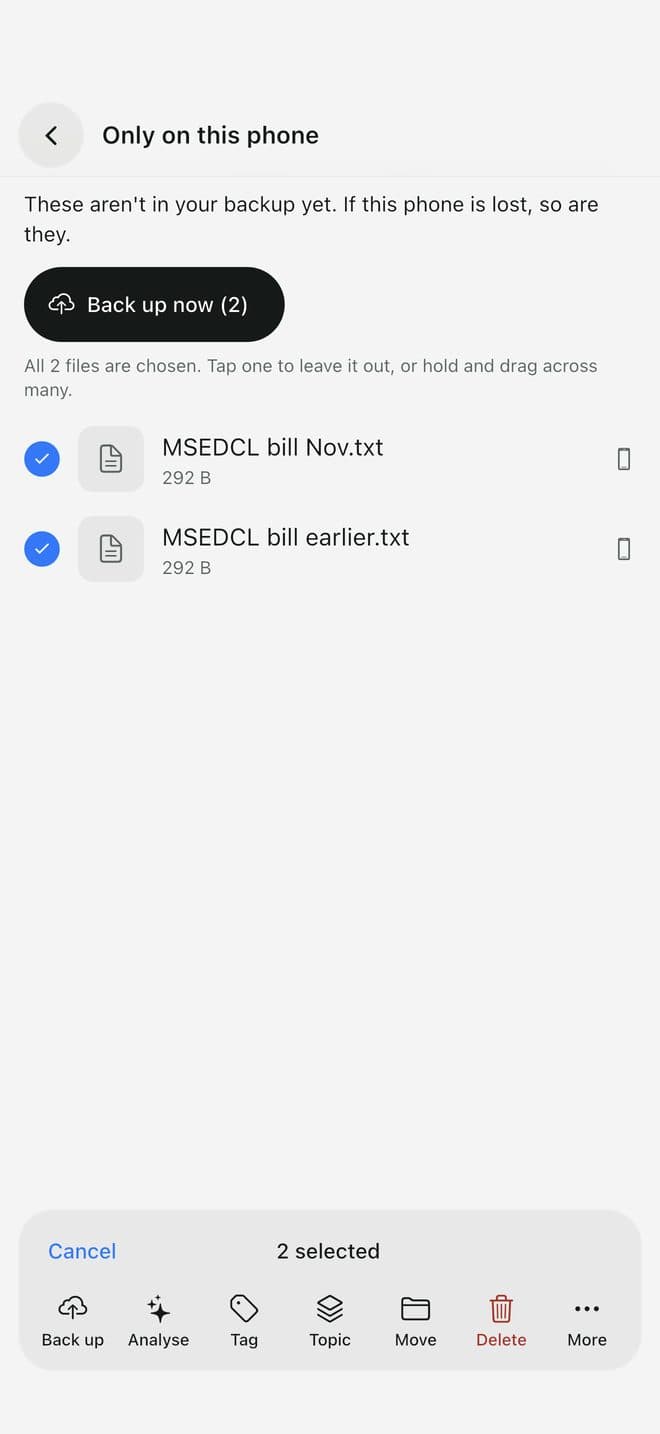
  • Back up selected photos and files in one go
  • Undo right after a delete, and Recently deleted keeps things for 30 days
  1. Only on this phone: what isn't backed up yet, with Back up now

    1Only on this phone: what isn't backed up yet, with Back up now

  2. Where your files are: on the phone, in both, or only in the backup

    2Where your files are: on the phone, in both, or only in the backup

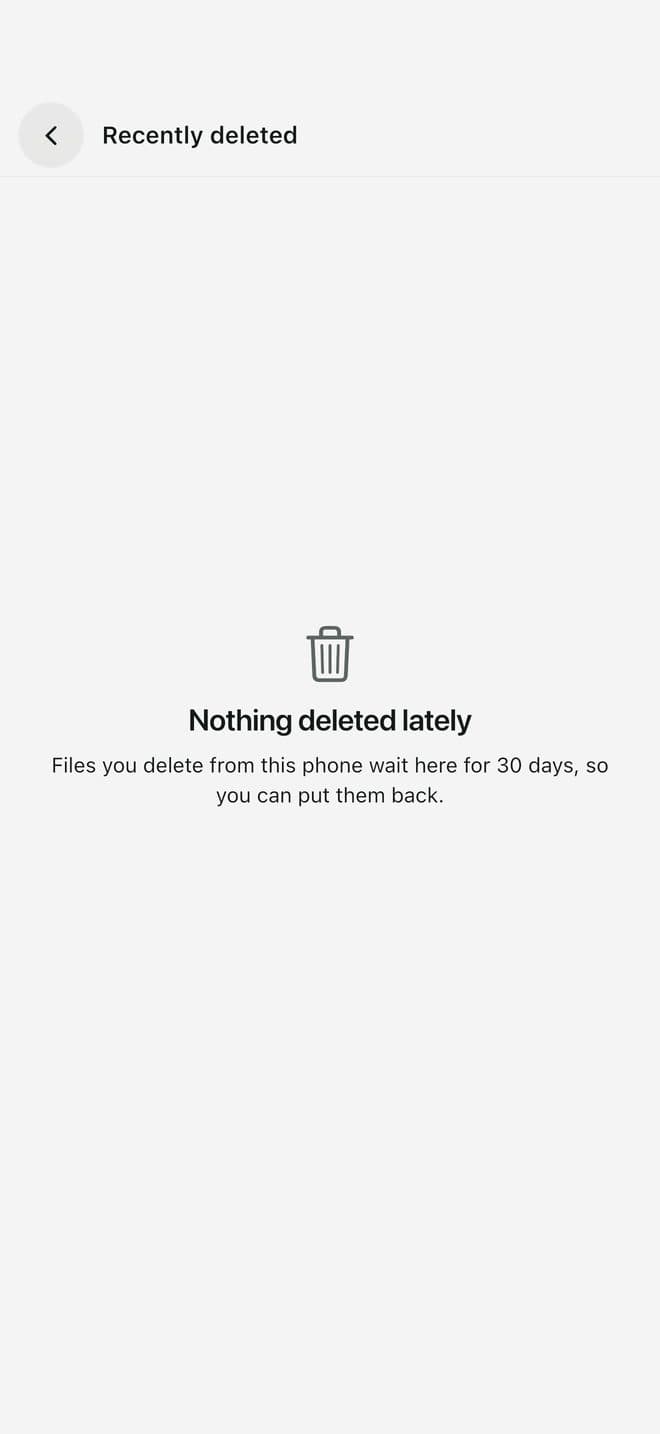
  3. Recently deleted: anything you delete waits 30 days

    3Recently deleted: anything you delete waits 30 days

Renters, first jobbers, parents

“The landlord wants the lease. Now. And when is the electricity bill due?”

Lease, rent receipts, bills, address proof. They're needed at the worst moment, and they're spread across the gallery, WhatsApp and a drawer.

Your home papers, sorted and searchable

  • Scan paper with the camera into a PDF whose text you can search
  • Bills: amounts and due dates read from the bills on your phone, with a reminder. Nothing is paid from the app
  • Home: the agreement, address proof, and rent receipts by month for HRA, as one PDF
  • Add a note to any file, like the landlord's name or the rent day
  1. The lease, with your note on it: landlord, rent day

    1The lease, with your note on it: landlord, rent day

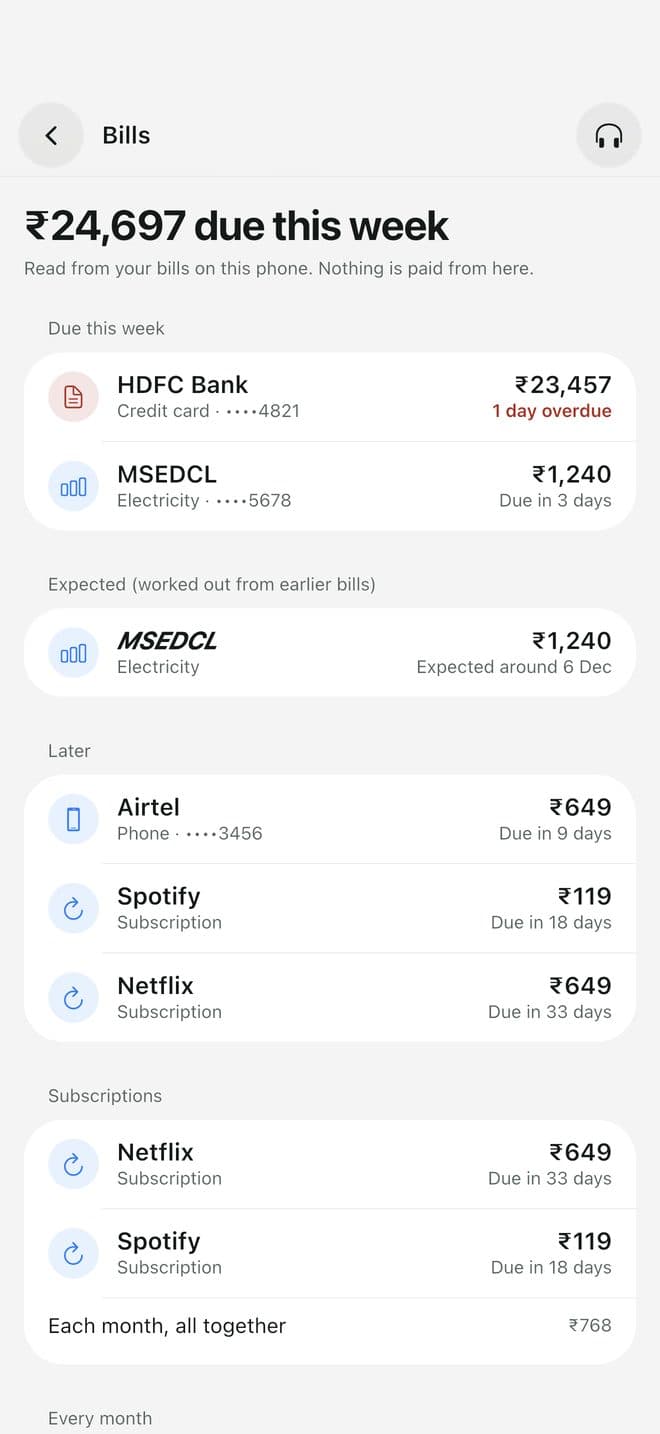
  2. Bills: what's due this week, read from your bills, with a reminder

    2Bills: what's due this week, read from your bills, with a reminder

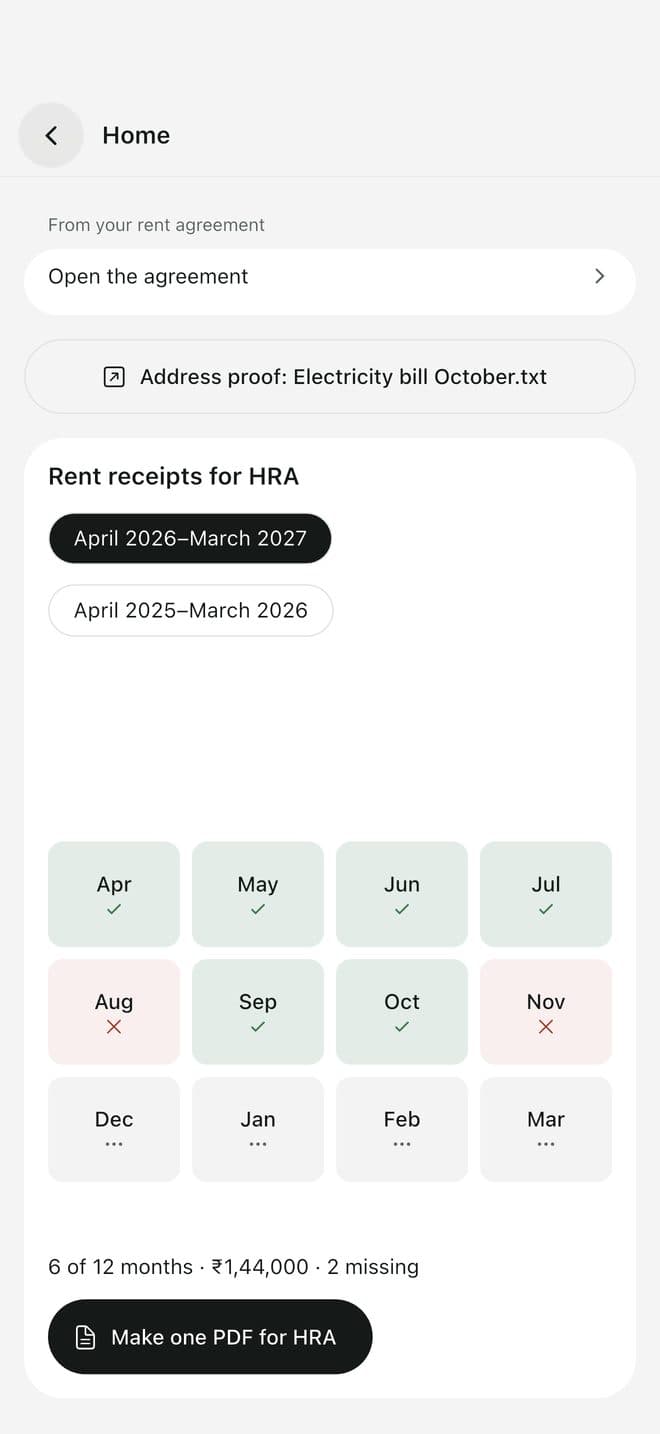
  3. Home: the agreement, address proof, and rent receipts by month for HRA

    3Home: the agreement, address proof, and rent receipts by month for HRA

Students

“I saved all the notes. I never revise them.”

Lecture PDFs, saved videos, screenshots of slides. Turning them into revision is another evening of work.

Flashcards and quizzes from what you saved

  • Make flashcards or a short quiz from a PDF, a note or a saved video
  • Flip, then mark Again or Know it
  • Review only your mistakes
  • Share a deck as a PDF
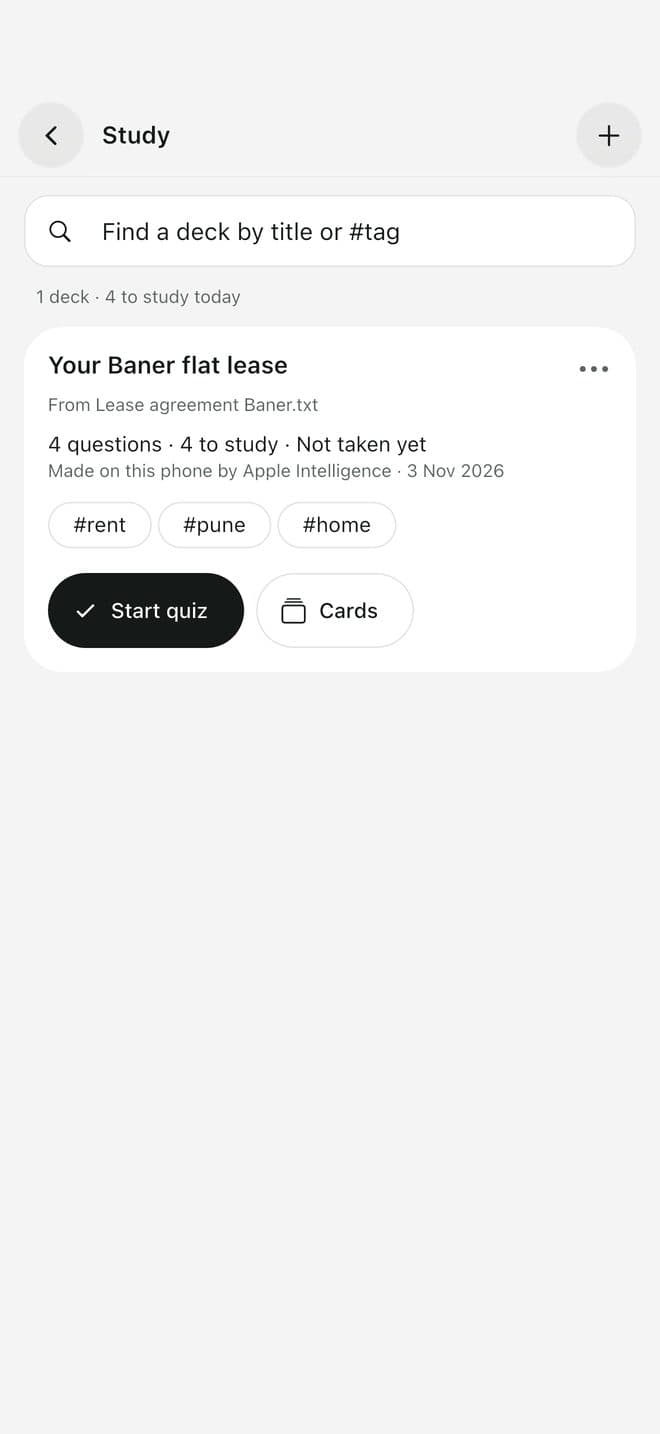
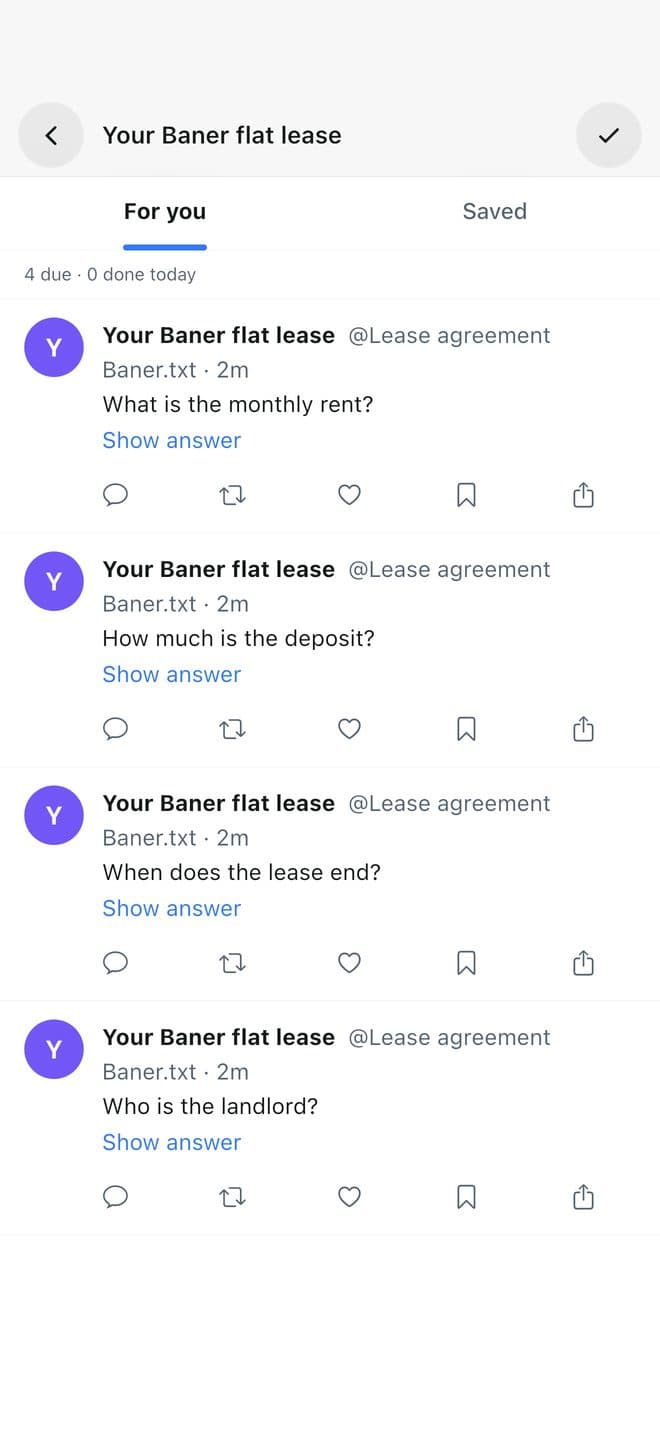
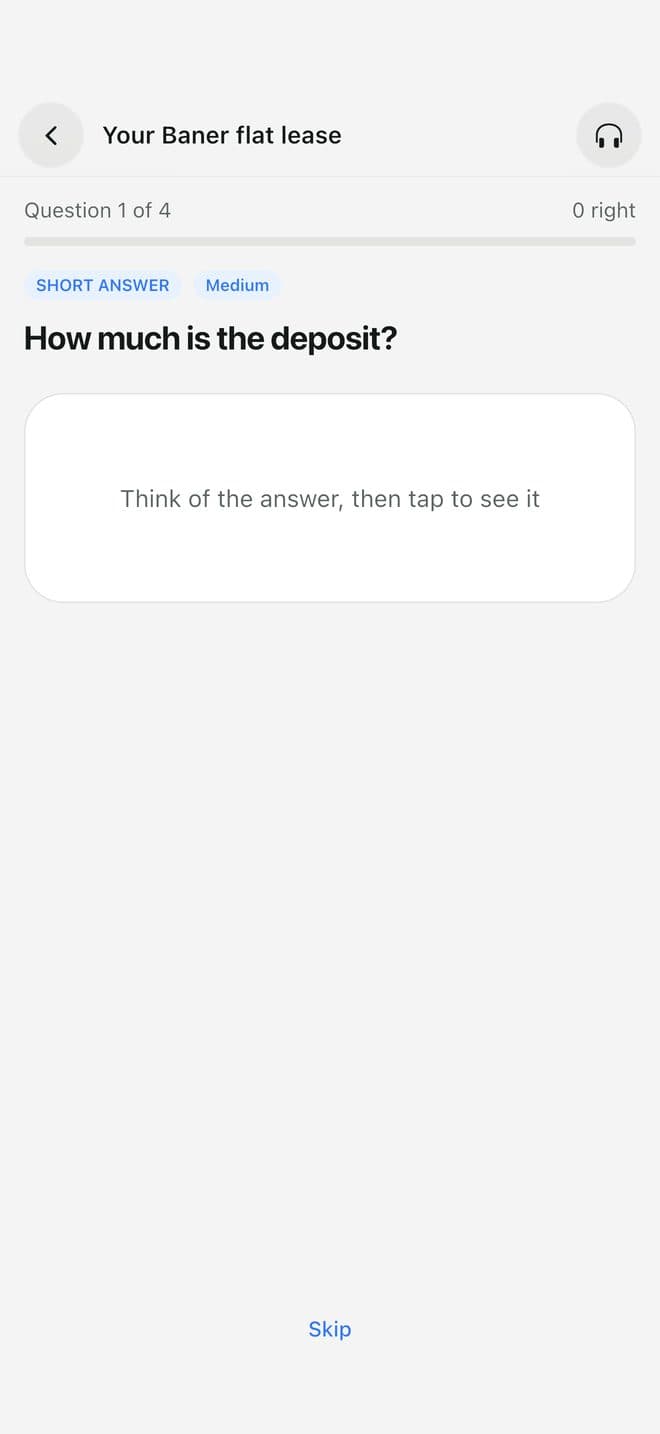
  1. Study: a deck made from your lease, ready to revise

    1Study: a deck made from your lease, ready to revise

  2. Cards in a feed you can scroll like posts

    2Cards in a feed you can scroll like posts

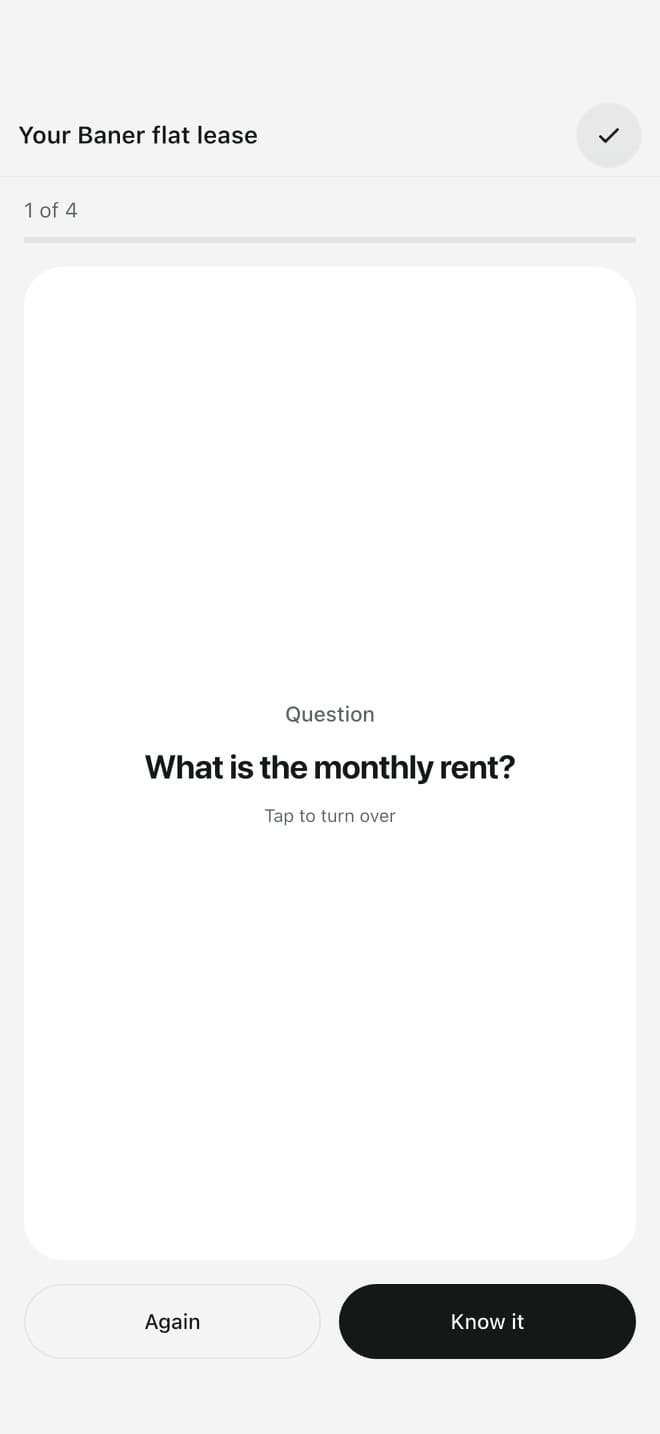
  3. Quiz yourself one question at a time

    3Quiz yourself one question at a time

Job seekers and students

“Upload one PDF under 2 MB.”

The portal wants your resume, degree and ID as one small PDF. That usually means three websites and a laptop.

PDF tools on the phone

  • Merge several PDFs into one
  • Pick and reorder pages
  • Compress a PDF to send it
  • Make a PDF from photos
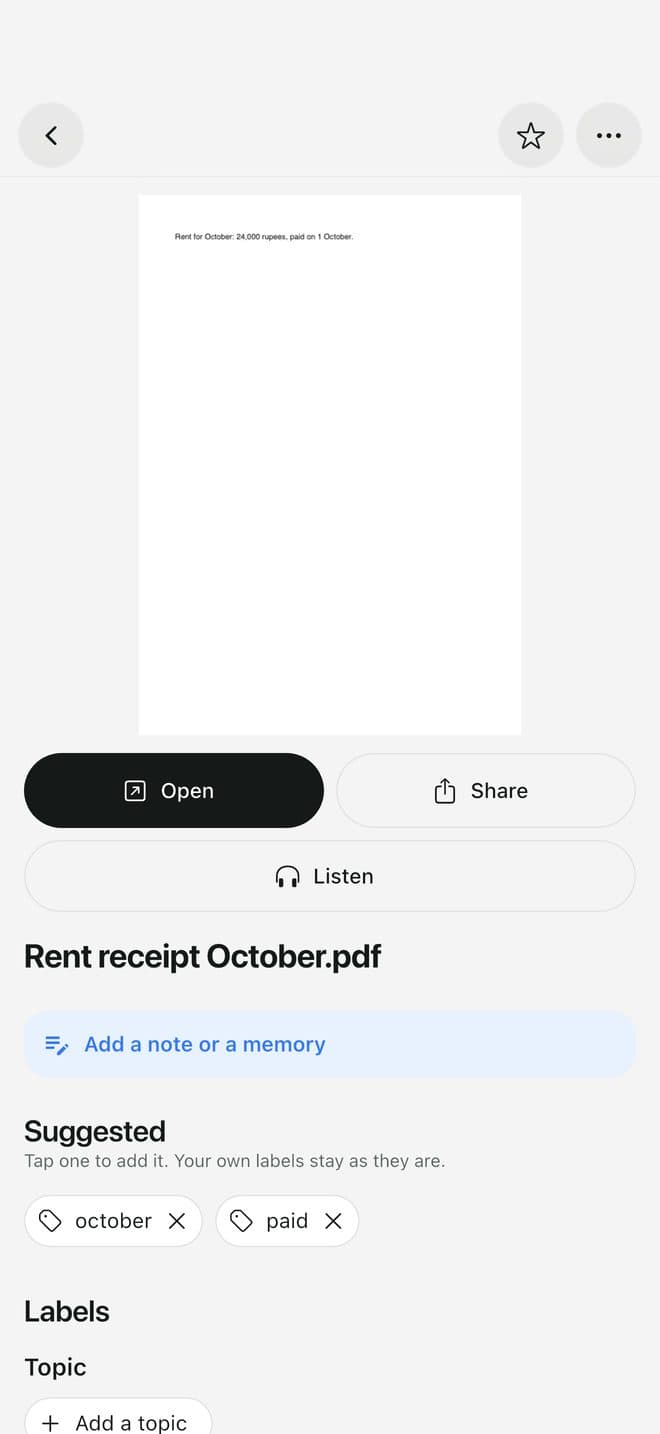
  1. Open any PDF: read it, share it, add a note

    1Open any PDF: read it, share it, add a note

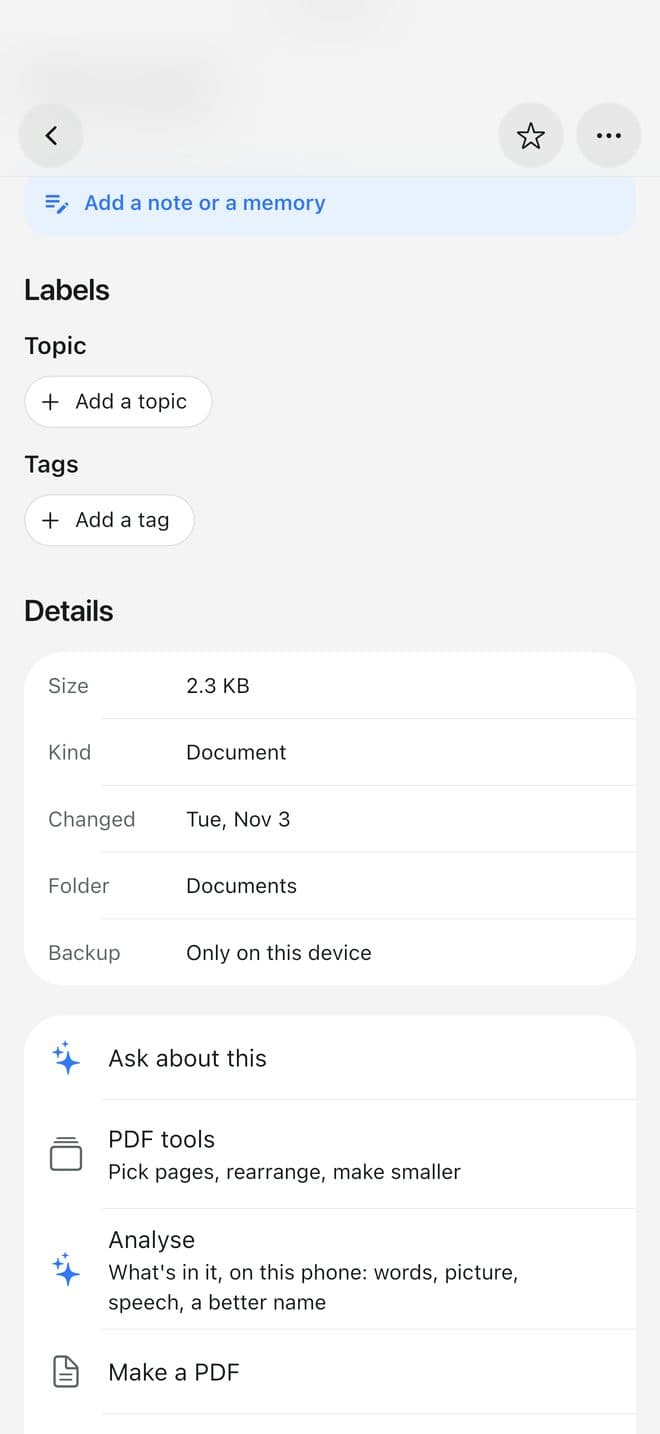
  2. Further down every file: PDF tools to pick pages, rearrange and make smaller, or Make a PDF

    2Further down every file: PDF tools to pick pages, rearrange and make smaller, or Make a PDF

  3. Job kit and Home sit at the top of Library, ready to make one PDF

    3Job kit and Home sit at the top of Library, ready to make one PDF

Everyone with IDs on their phone

“Some files are nobody's business.”

Aadhaar, PAN, passport, medical reports. They sit in the gallery next to everything else, open to anyone holding the phone.

A private vault behind Face ID

  • Move files into Private; they open only with Face ID or your fingerprint
  • Lock the whole app if you like
  • Files in the vault are never sent to an AI service
  1. On a file: Move to vault

    1On a file: Move to vault

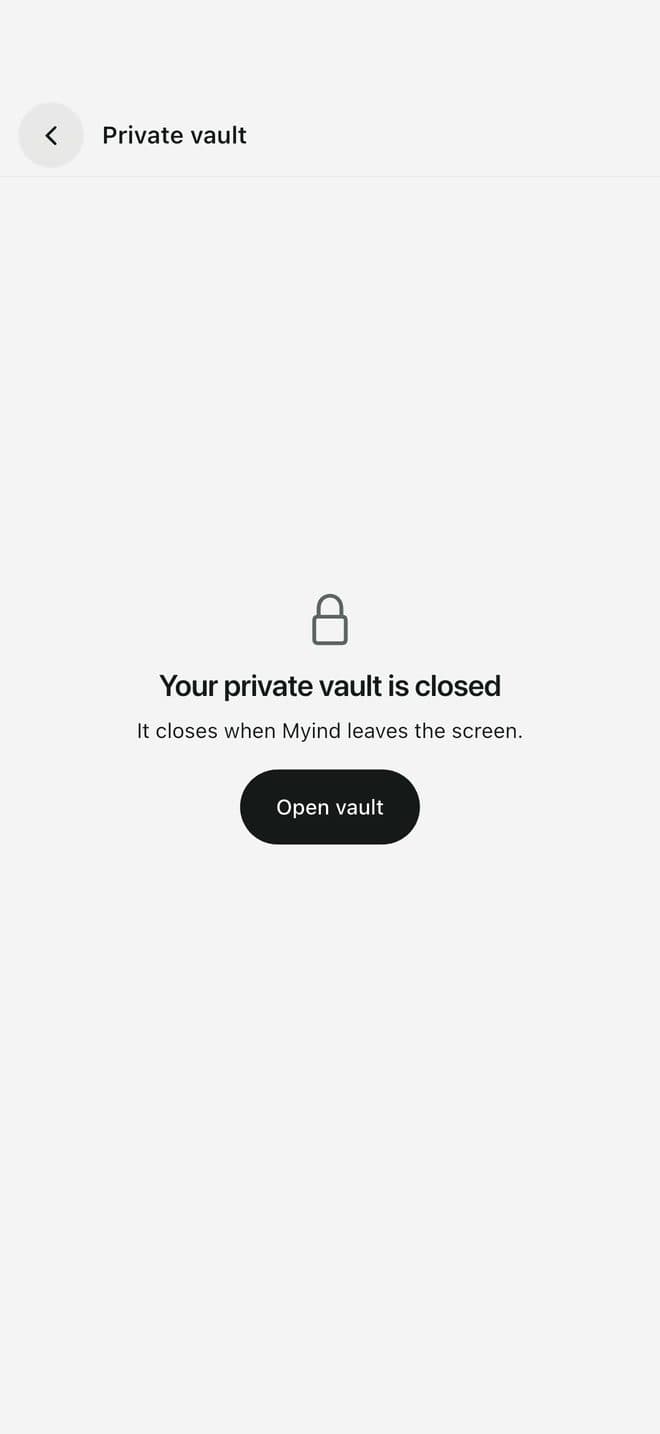
  2. The vault stays closed until Face ID

    2The vault stays closed until Face ID

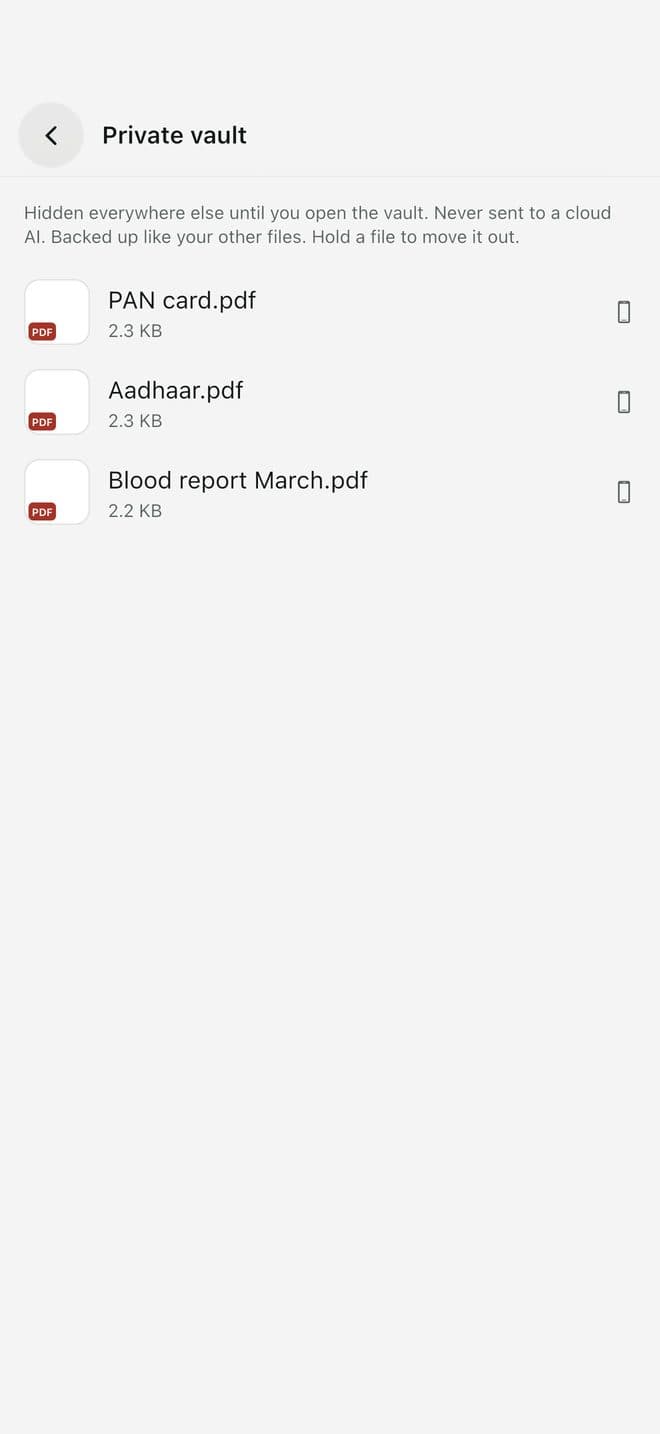
  3. Open: your private files, hidden everywhere else

    3Open: your private files, hidden everywhere else

Anyone who changes phones

“New phone. Where did everything go?”

Tags, notes and folders you made in one app rarely survive a reinstall or a new phone.

Your backup, in your own GitHub

  • Optional backup to a private repository in your own GitHub account
  • After a reinstall, connect the same repository
  • Files, saved links, tags, stars and notes come back
  • No account with us, ever
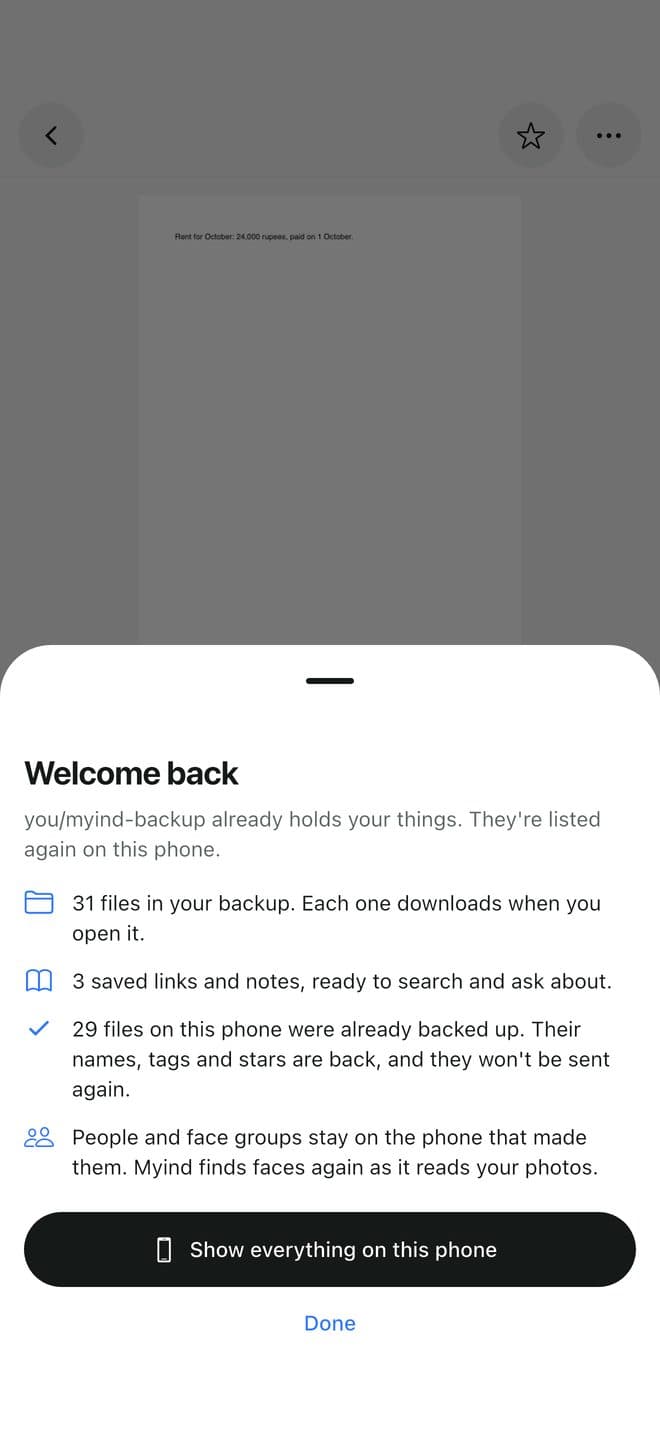
  1. Welcome back: your files, links, tags and stars come back from your own GitHub

    1Welcome back: your files, links, tags and stars come back from your own GitHub

Myind and a typical cloud drive

FeatureMyindCloud drive
Needs an accountNoYes
Your files on the maker's serversNeverYes
Search inside photos, PDFs and reelsYesPartly
Saved reels and links with summariesYesNo
Shows what's safe to delete from the phoneYesNo
BackupOptional, to your own GitHubTheir cloud, paid past the free tier

Private by design

Data not collected

We run no server for the app and receive none of your data. Backup is optional and goes to a private repository in your own GitHub account. AI features that go online use a key you add, and only after you allow it.

Read the privacy policy

Questions

How much does it cost?

Myind is free, with no ads. AI features that go online use your own key with the AI company you choose, so you pay that company only for what you use.

Do I need an account?

No. Myind works on your phone with no sign-up.

Does it upload my photos?

No. Myind reads your files on the phone. Backup is off until you turn it on, and then it goes to a private repository in your own GitHub account.

What can it search?

File names and folders, the text inside PDFs and documents, what's in a photo and where it was taken, saved links and reels, and the notes you add.

I reinstalled the app. Do I lose everything?

If backup was on, connect the same GitHub repository again and Myind brings back your files, links, tags, stars and notes.

iPhone or Android?

Both. iPhone comes first on the App Store.

Your phone, organised by itself

Myind is coming to the App Store. Leave your email and we'll write once, on launch day.

One email on launch day. Nothing else.